How to Add a Watermark with ModernPDF
Upload your PDF
Drag your document into the watermark tool. Your file is processed entirely in your browser.
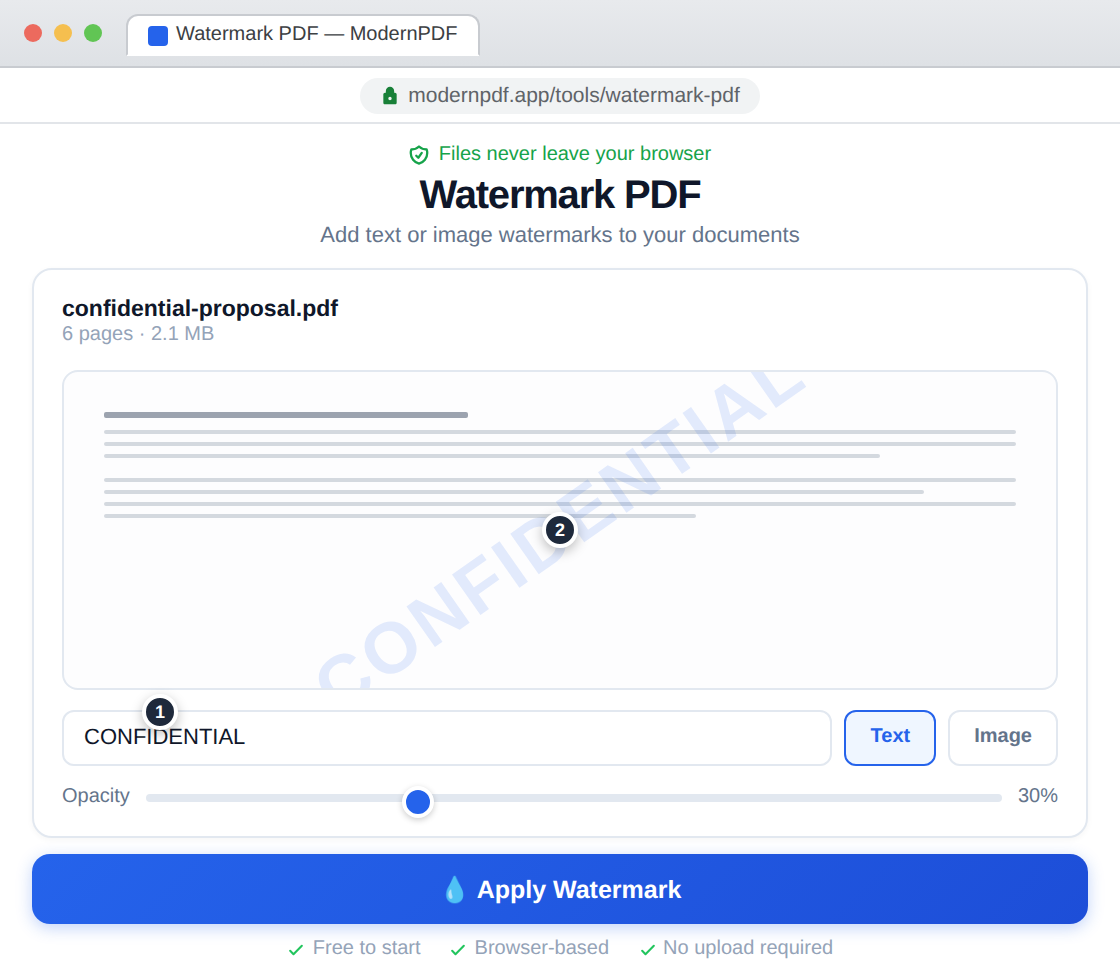
Design your watermark
Type your watermark text (e.g. "CONFIDENTIAL", "DRAFT", your company name) or upload a logo image. Adjust font size, color, opacity, and rotation angle. See a live preview as you adjust settings.
Download your watermarked PDF
Apply the watermark to every page and download the protected document.
When to Use Watermarks
Watermarks serve several purposes: marking documents as DRAFT or CONFIDENTIAL to prevent accidental distribution of unfinished work; branding PDFs with a company logo for professional presentation; deterring unauthorized copying by making the source visible; and indicating document status (APPROVED, SAMPLE, NOT FOR DISTRIBUTION).
Text vs. Image Watermarks
Text watermarks are the most common — they're fast to create and clearly communicate document status. Diagonal placement at reduced opacity lets the watermark be visible without obscuring the content beneath it. Image watermarks are ideal for branding — use your company logo at low opacity for a professional, consistent look across all your documents.
Watermark Best Practices
Keep opacity between 15-30% so the watermark is visible but doesn't interfere with readability. Diagonal placement (typically 45°) crosses the most content area and is hardest to crop out. Use a contrasting color — gray works well on most documents. For logos, center them on the page at a size that's noticeable but not dominant.
Frequently Asked Questions
Can I use my company logo as a watermark?
Yes. Upload any PNG or JPG image to use as your watermark. Adjust opacity and size to overlay it tastefully on your document. Transparent PNG logos work best since the transparency is preserved in the watermark.
Will the watermark appear on every page?
By default, the watermark is applied to all pages for consistent protection. This ensures every page of your document is visibly marked regardless of which pages get shared or printed.
Can watermarks be removed from the output?
The watermark is permanently embedded in the PDF output. While determined users with specialized tools could attempt removal, it would require significant effort and likely leave visible artifacts, providing a meaningful deterrent against unauthorized use.