How to Redact a PDF with ModernPDF
Upload your PDF
Drag the document into the redaction tool. Your file stays in your browser for maximum security.
Mark sensitive areas
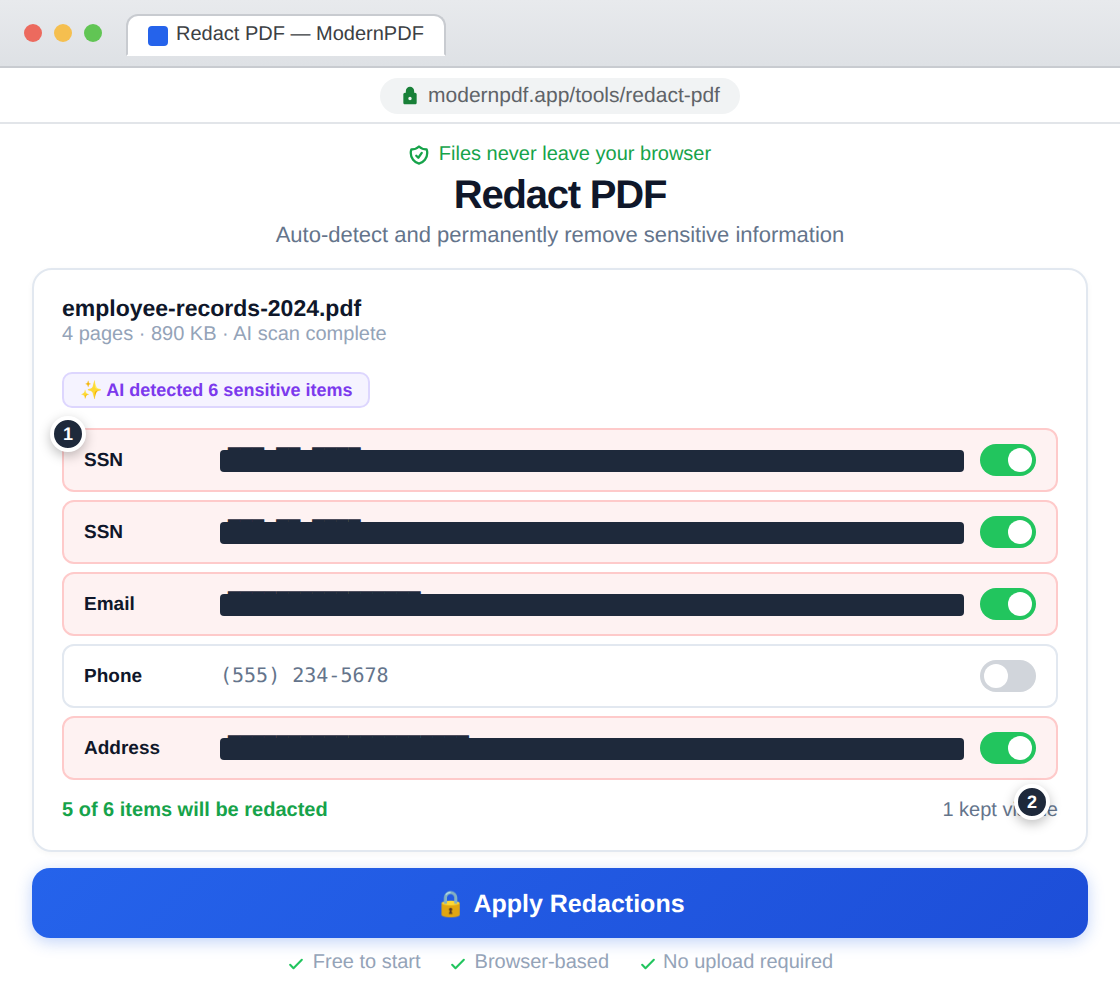
Draw redaction boxes over any text you want to remove — names, SSNs, account numbers, addresses. Or use AI-powered detection to automatically find and flag PII across the entire document.
Apply and download
Apply redactions permanently. The underlying text data is destroyed — not just hidden. Download the sanitized PDF.
Why Redaction Matters
Simply drawing a black box over text doesn't actually remove it. The text data remains in the PDF file and can be selected, copied, or extracted with basic tools. This is how high-profile data breaches have occurred — government agencies and law firms have accidentally released "redacted" documents where the sensitive text was merely covered, not removed.
True redaction permanently deletes the underlying text data from the PDF. After redaction, the original content cannot be recovered by any means.
AI-Powered Detection
ModernPDF integrates with SafeRedact to automatically detect personally identifiable information including names, Social Security numbers, phone numbers, email addresses, physical addresses, dates of birth, financial account numbers, and medical record numbers. AI detection catches information you might miss in a manual review, especially in long documents.
Manual vs. Automatic Redaction
Manual redaction gives you complete control — draw boxes over exactly what you want to remove. Automatic redaction uses AI to scan the entire document and flag all detected PII, which you can then review and confirm before applying. For most use cases, a combination works best: start with AI detection, then manually review and add any items the AI may have missed.
Frequently Asked Questions
Is redaction permanent?
Yes. ModernPDF's redaction permanently removes the underlying text data from the PDF structure. The original text is destroyed and cannot be recovered, copied, or extracted from the redacted document by any tool or method.
What's the difference between redaction and blacking out text?
Blacking out text with a colored rectangle only covers it visually. The actual text data remains in the PDF and can be selected, copied, searched, or extracted. True redaction (what ModernPDF does) removes the data entirely from the file structure.
Can AI detect sensitive information automatically?
Yes. ModernPDF integrates with SafeRedact's AI to automatically detect names, Social Security numbers, phone numbers, email addresses, physical addresses, dates of birth, and other PII. You review the detections before applying them.
What compliance standards does this support?
Proper redaction is required by HIPAA (healthcare), GDPR (European privacy), FOIA (government records), and various legal discovery rules. ModernPDF's browser-based processing means your documents never leave your device, which helps meet data handling requirements.