Why Edit a PDF?
PDFs were designed to be a final, non-editable format — which is exactly the problem. You receive a contract with a wrong date, a report with a typo in the header, or an invoice that needs an updated address. The original Word or InDesign file is long gone (or was never yours to begin with). You need to edit the PDF directly.
The frustration is universal: you can't just open a PDF and start typing like you would in a Word document. Most PDF viewers are read-only. Adobe charges $22.99/month for editing capability. Free tools either add watermarks, degrade quality, or require uploading your files to unknown servers.
The solution is a browser-based editor that lets you add text, insert images, draw annotations, and fill fields — without installing software, without subscriptions, and without uploading sensitive documents to third-party servers.
Method 1: Use ModernPDF (Recommended)
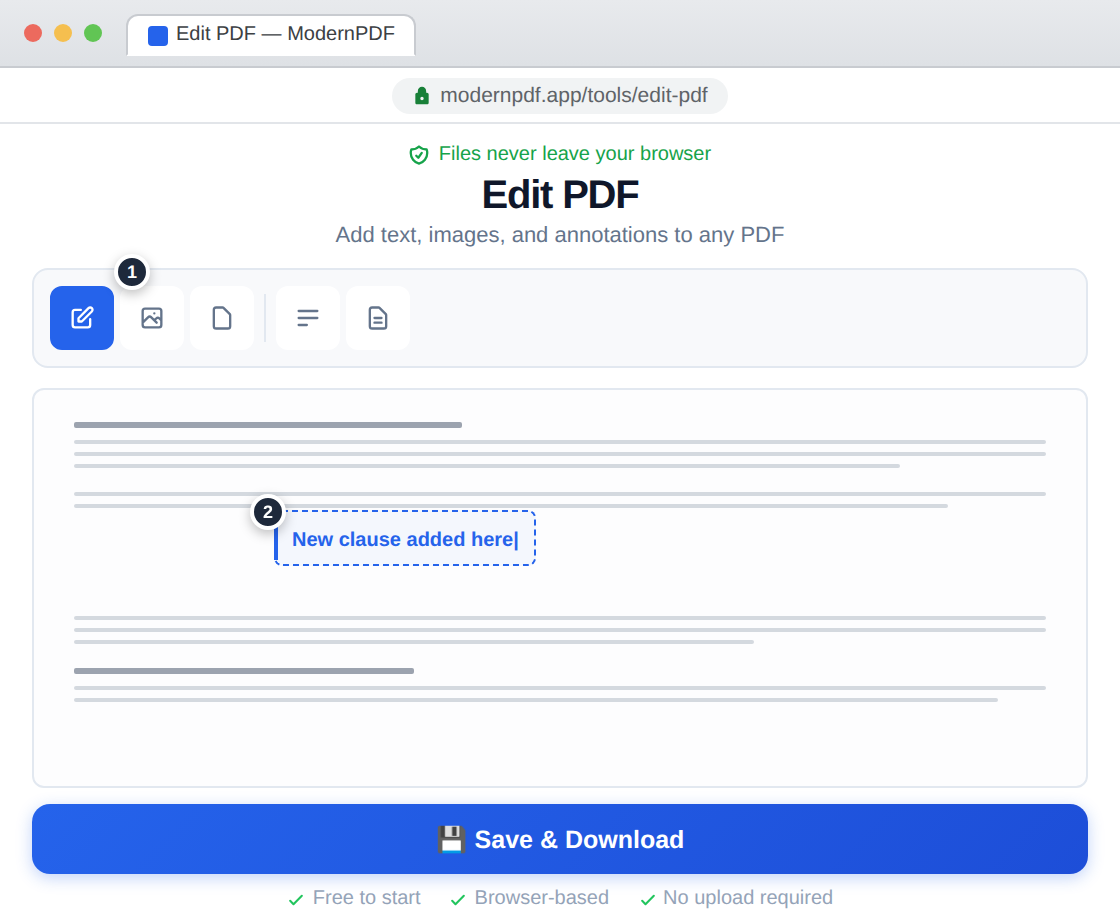
ModernPDF's editor provides a complete editing toolbar for adding text, images, and annotations to any PDF — all processed locally in your browser.
Step-by-step instructions:
- Go to ModernPDF Edit and upload your PDF
- Select a tool from the toolbar: text, image, highlighter, or drawing
- Click on the page where you want to add content
- Make your edits — text appears with a live cursor, images can be positioned and resized
- Click "Save & Download" to get your edited PDF
Adding text: Click the text tool, then click anywhere on the page. A text cursor appears at that position. Type your content — you can adjust font size and color. This is ideal for filling in blank fields, adding notes, or correcting small text errors.
Adding images: Click the image tool to insert logos, signatures, stamps, or photos. Drag to position, and use corner handles to resize while maintaining aspect ratio.
Important distinction: ModernPDF adds content on top of the existing PDF — it doesn't modify the underlying text streams. This means you can add new text, images, and annotations, but you can't select and retype existing text the way you would in a word processor. For full text reflow editing, you'd need to convert to Word first using the PDF to Word tool.
Method 2: Use Adobe Acrobat
Acrobat Pro's editor lets you directly modify existing text, reflow paragraphs, and replace images — the most powerful PDF editing available.
- Open the PDF in Acrobat Pro
- Go to Tools → Edit PDF
- Click on any text block to edit it directly
- Save when finished
If you need to frequently modify existing text within PDFs (not just add new content), Acrobat is the gold standard. But at $22.99/month, it's expensive for occasional edits. For adding text, signatures, annotations, and images — which covers 90% of real-world PDF editing needs — ModernPDF handles the job at zero cost.
Method 3: Convert to Word, Edit, Convert Back
When you need full editing control over a PDF's content, the convert-edit-convert workflow is surprisingly effective.
- Convert the PDF to Word using ModernPDF's converter
- Edit the Word document with any word processor
- Convert the edited document back to PDF
This approach gives you complete control — rewrite paragraphs, change fonts, restructure sections, add tables. The trade-off is formatting: complex layouts may shift during conversion. For simple text-heavy documents (contracts, letters, reports), the conversion is usually seamless.
Frequently Asked Questions
Can I edit a PDF for free?
Yes. ModernPDF's editing tools are free with 3 tasks per day and a 10MB file size limit. No watermarks are added to your edited document.
Can I edit text that's already in the PDF?
ModernPDF lets you add new text anywhere on the page, but doesn't modify existing text. To change existing content, either use the PDF to Word conversion workflow, or use Adobe Acrobat's direct text editing (paid). For most tasks — filling blanks, adding corrections, inserting notes — adding text on top of the existing content works perfectly.
How do I add my signature to a PDF?
Use the Fill & Sign tool for the best signature experience. You can draw, type, or upload a signature image, then place it precisely on the document. The signature is flattened into the PDF so it can't be removed or repositioned.
Is it safe to edit PDFs online?
With ModernPDF, yes — your files never leave your browser. The editing, rendering, and saving all happen locally on your device. No data is transmitted to any server at any point during the editing process.