Why Fill PDF Forms Online?
PDF forms are everywhere: rental applications, tax forms, insurance claims, employment paperwork, medical intake forms, school enrollment, government applications. The format is standardized because PDFs look identical on every device — but filling them out is consistently frustrating.
The typical workflow is absurd: print the PDF, fill it out by hand, scan the completed form, then email the scan. This round-trip wastes time, degrades quality (handwriting is often illegible), and requires a printer and scanner that many people don't have at home. Digital form filling eliminates every step of this friction.
Electronic signatures add another dimension. Many documents require both filled fields and a signature — lease agreements, consent forms, service contracts. A tool that handles both avoids the need for separate signing software.
Method 1: Use ModernPDF (Recommended)
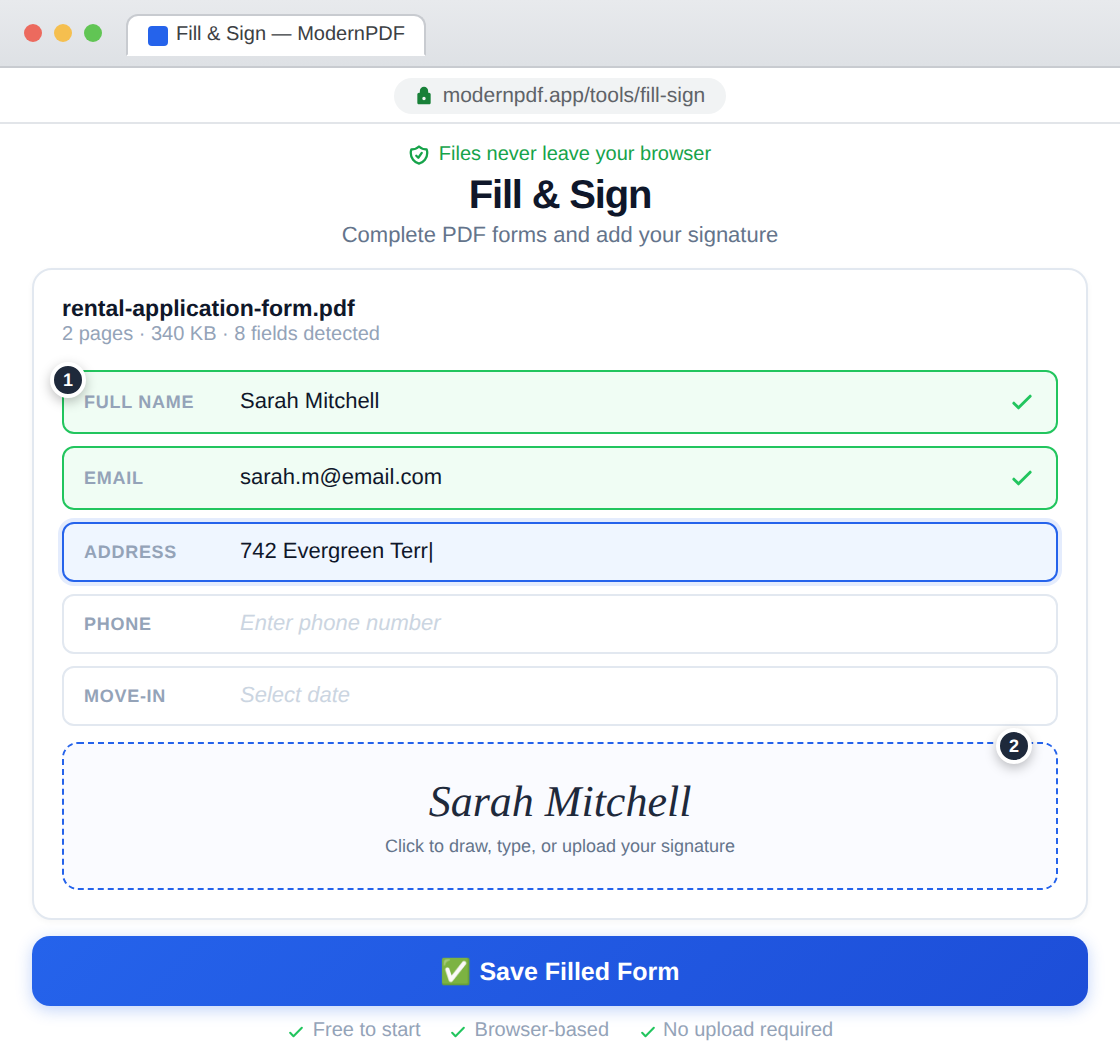
ModernPDF's Fill & Sign tool detects form fields automatically, lets you type into them, and add signatures — all without uploading your document to any server.
Step-by-step instructions:
- Go to ModernPDF Fill & Sign and upload your PDF form
- The tool auto-detects fillable fields — click any field and start typing
- For non-interactive PDFs, click anywhere on the page to add text at that position
- To add a signature, click the signature area — draw, type, or upload your signature
- Click "Save" to download the completed form
Smart field detection: ModernPDF recognizes standard PDF form fields (AcroForm and XFA) and presents them as clean input boxes. If the PDF doesn't have embedded form fields (common with scanned forms), you can still click anywhere on the page to add text precisely where you need it.
Signature options: Three ways to add your signature: draw with your mouse or finger (on touchscreens), type your name in a signature font, or upload an image of your handwritten signature. All three produce professional results that are permanently embedded in the PDF.
Method 2: Use Adobe Acrobat Reader
The free Adobe Reader includes basic form filling and signing capabilities.
- Open the PDF in Adobe Acrobat Reader (free download)
- If the form has interactive fields, click and type in each field
- For signatures, use the Fill & Sign feature in the right panel
- Save the completed form
Adobe Reader works but requires a desktop installation (200+ MB), is slower to load than a browser-based tool, and uploads telemetry data during use. The signing feature is functional but basic compared to dedicated tools.
Frequently Asked Questions
Can I fill PDF forms on my phone?
Yes. ModernPDF works on any mobile browser — iPhone, Android, and tablets. The form fields are touch-friendly, and the signature tool works with finger drawing on touchscreens.
Are electronic signatures legally valid?
In most jurisdictions, yes. The ESIGN Act (US), eIDAS (EU), and equivalent laws in most countries recognize electronic signatures as legally binding for most types of documents. Some specific documents (wills, certain real estate transactions) may still require notarized wet signatures — check your local requirements.
Can I fill out a scanned PDF form?
Yes. Even if the PDF is a scanned image without interactive form fields, ModernPDF lets you click anywhere on the page to add text. Position your cursor over the blank field in the scan and type your response. The text overlays the scanned image precisely.
Is my data safe when filling forms online?
With ModernPDF, your form data never leaves your browser. The field detection, text rendering, and signature placement all happen locally on your device. No server ever sees your name, address, Social Security number, or signature.